Product Update - Enhanced Team Task Functionality
Enhanced Team Task Management
We've completely reimagined how you interact with tasks to help you stay organised and work more efficiently.
Our enhanced team task functionality puts your personal tasks front and center while introducing powerful new features like task templates and an improved interface. The result? Better visibility, streamlined workflows, and less time spent on task administration.
What's changed?
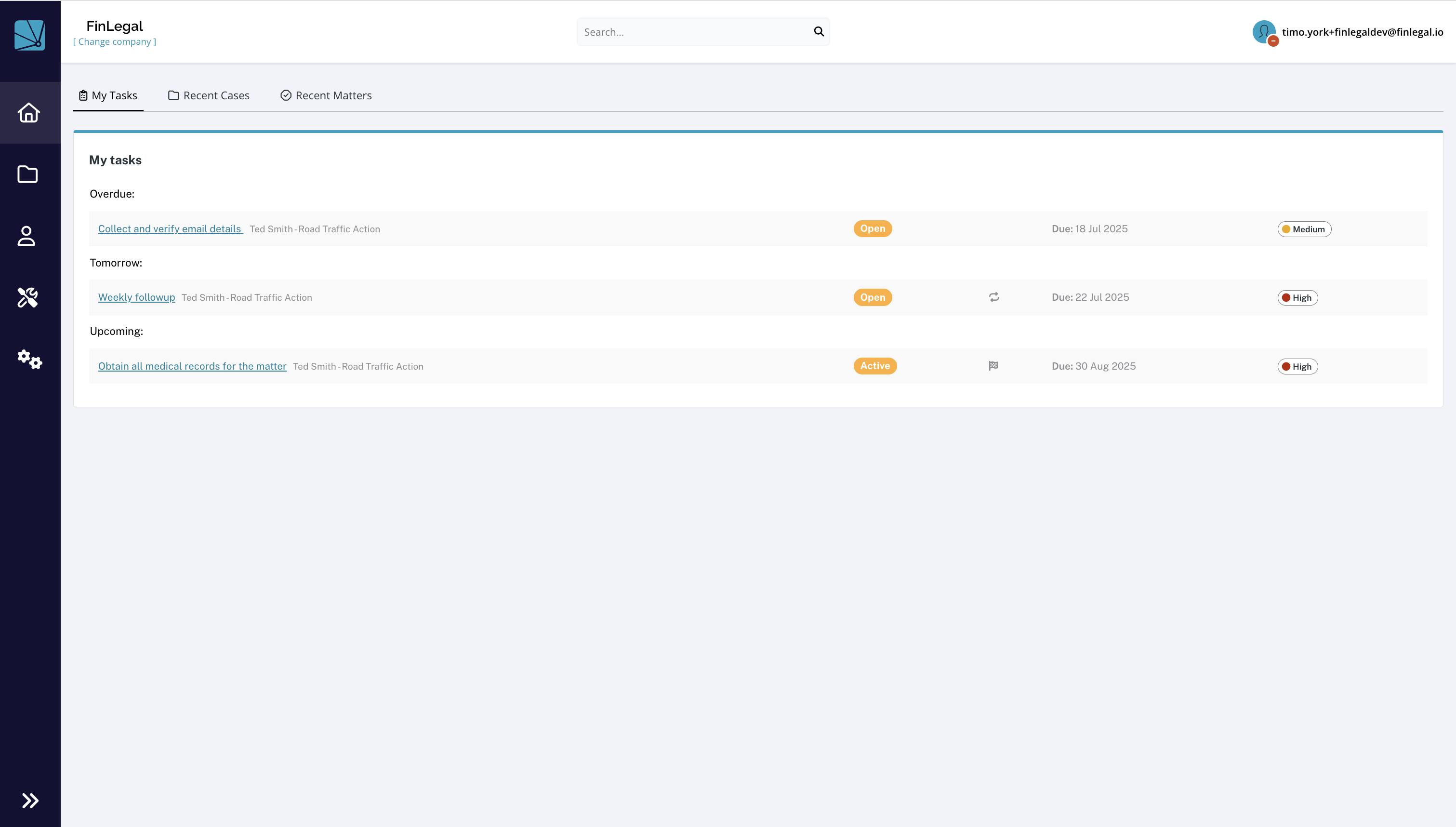
- My Tasks: Your assigned tasks now appear prominently on the dashboard homepage, giving you instant visibility of everything on your plate at a single glance. Access to recent cases and claims/matters is retained in their specific tabs.
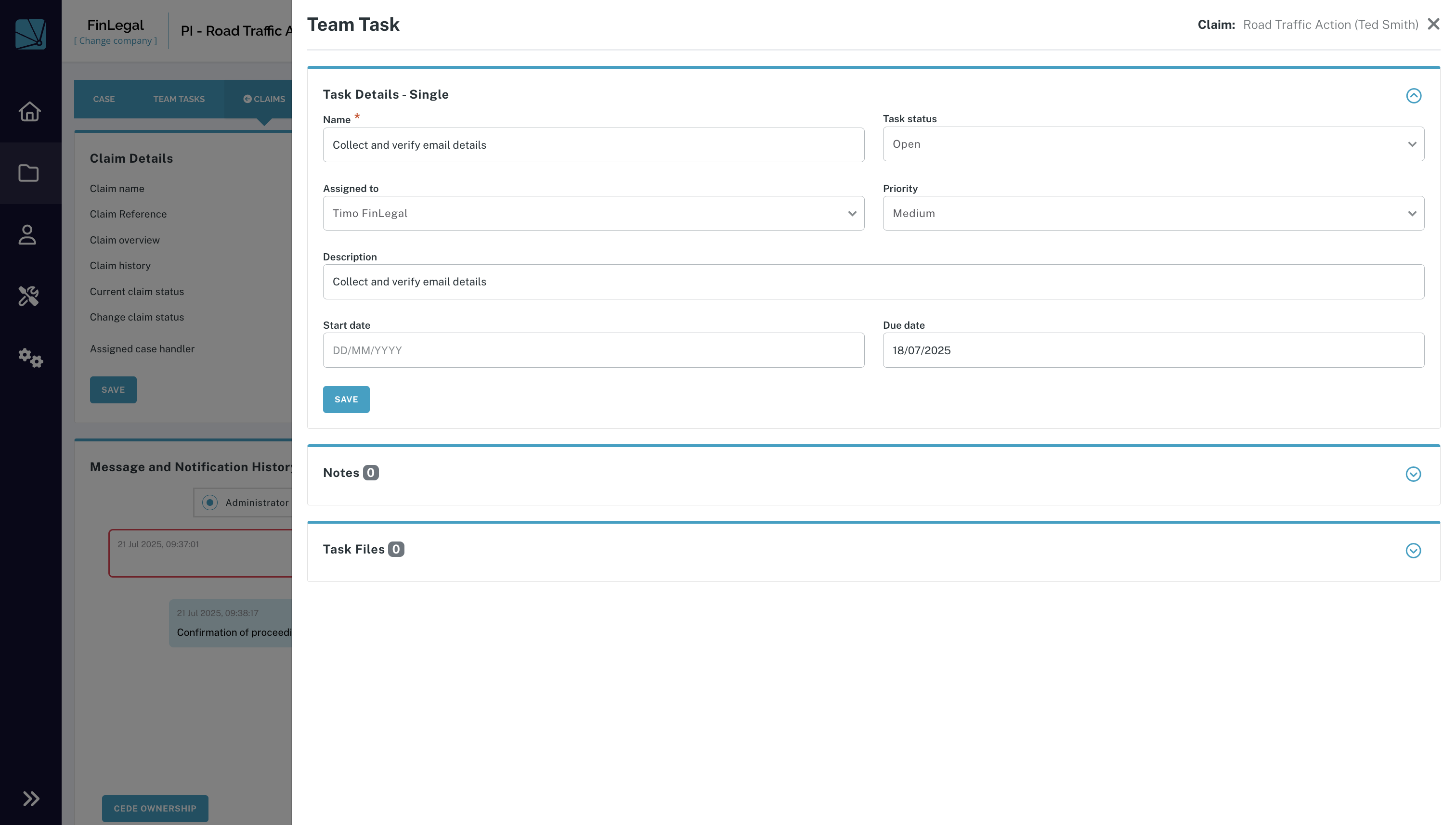
- Improved Task Panel: Team tasks on claim pages are now displayed in a sleek slide-out panel instead of a modal, providing better context and easier navigation while keeping you connected to the underlying case.
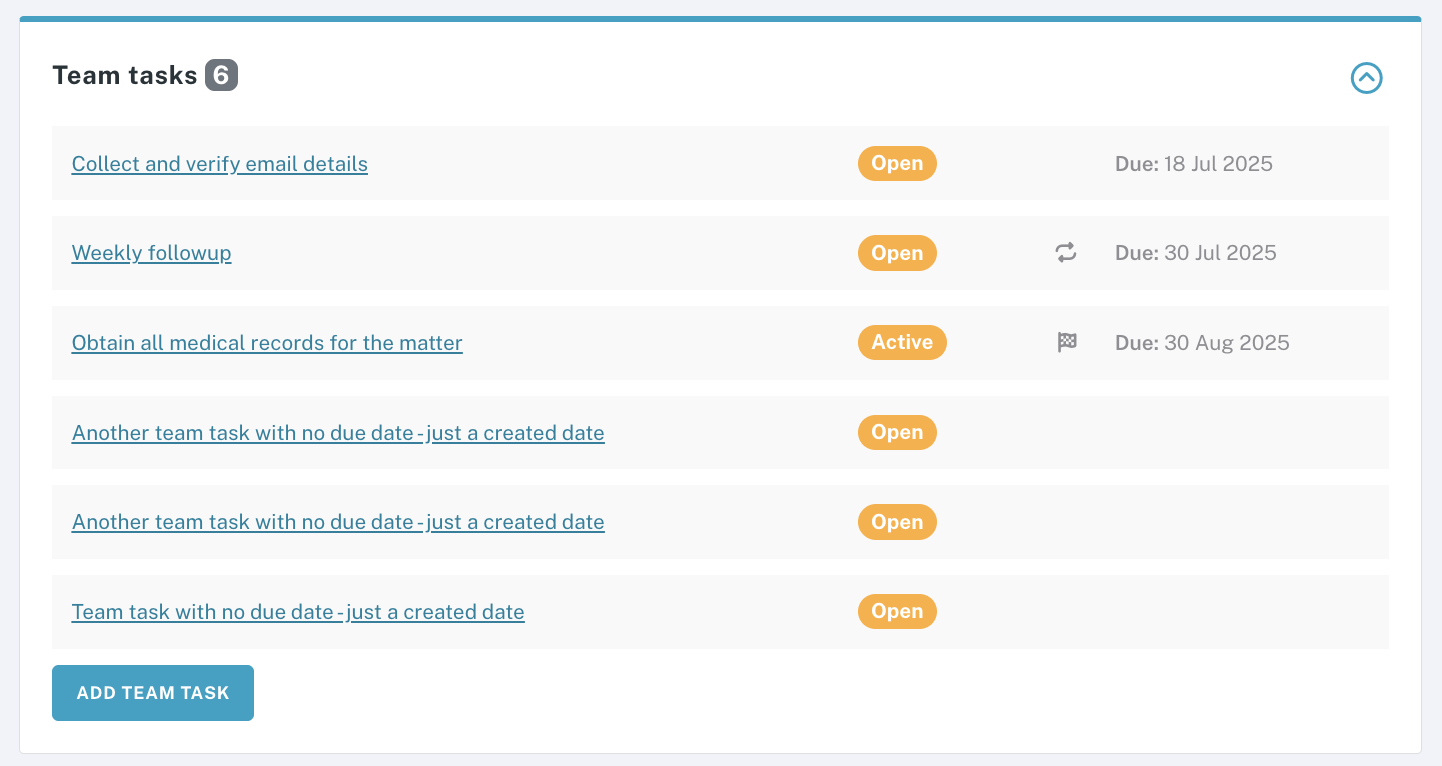
- Claim Page Task Ordering: Tasks in the claim page panel are now intelligently ordered by due date first, then by created date, ensuring the most urgent items always appear at the top.
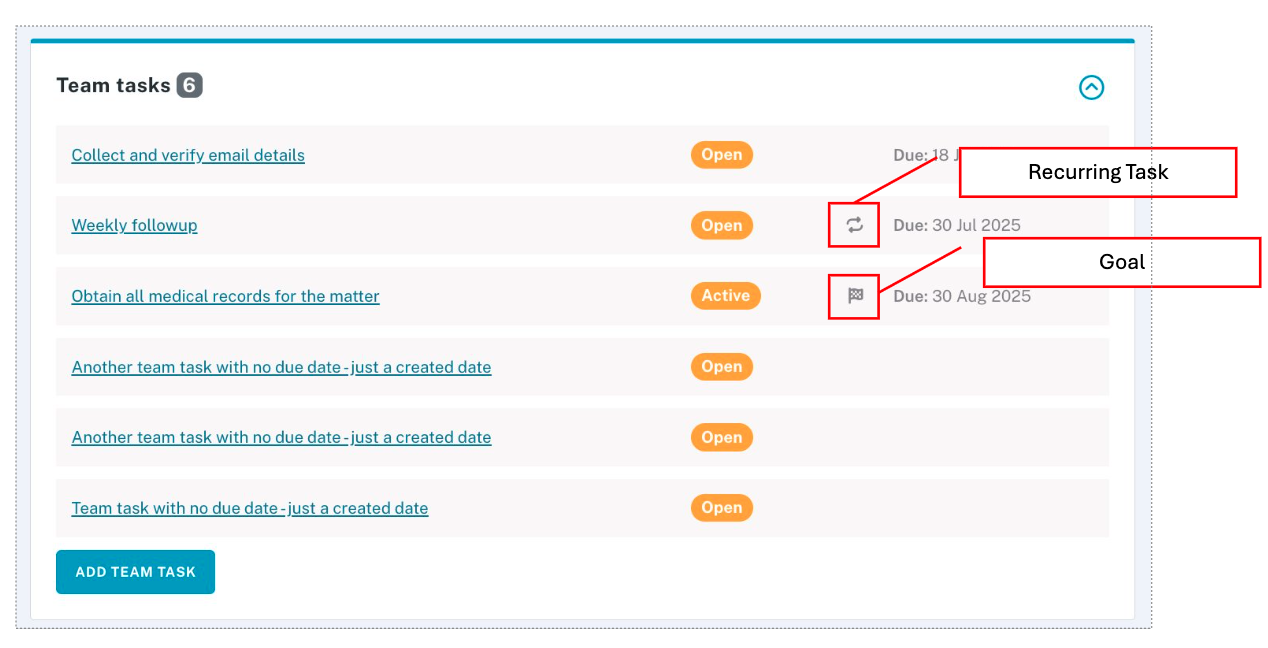
- Simple and Recurring Tasks: Historically, you have had the ability to capture simple team tasks against cases, case contacts and claims. We have complimented this with the ability to create goals and underlying recurring tasks on claims. For a given goal, recurring tasks will be created for you at a specified cadence. Goals and recurring tasks are shown and differentiated in the claims page team task panel and on the 'my tasks' page.
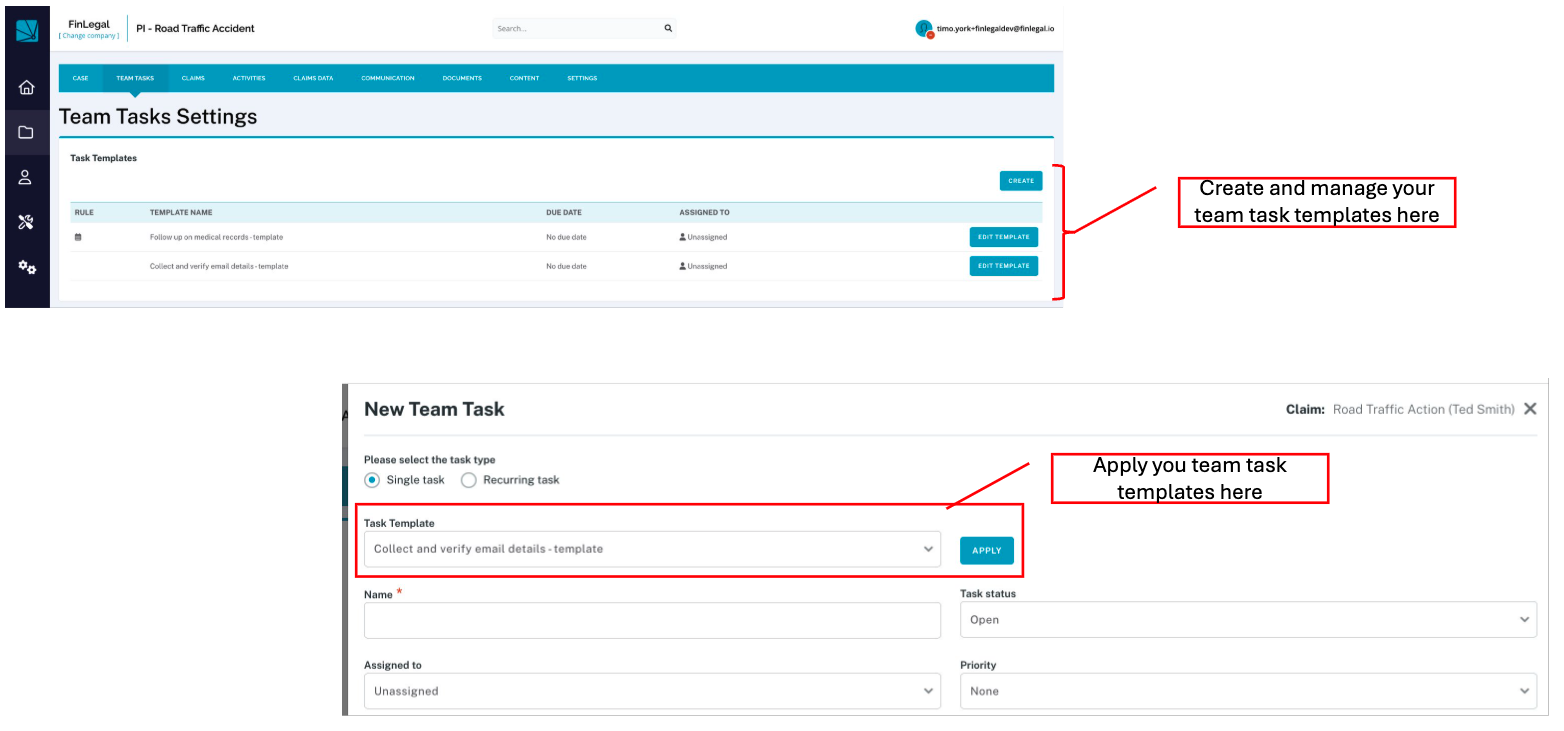
- Task Templates: New template functionality allows you to set up simple and recurring task configurations that your team can apply with just a few clicks, eliminating repetitive typing and other set up work. Accessible from the 'Team Tasks' page with the relevant permission on your user role ('Task Management'), users can create both simple and recurring task templates for use by their team when creating new team tasks.
What stays the same?
- The main Team Tasks page continues to function as before, with full filtering capabilities and bulk actions for managing multiple tasks at once
- All existing task data, assignments, and permissions remain unchanged
- Your established workflows and processes work exactly as they did before
These improvements are designed to reduce clicks, improve task visibility, and help your team work more consistently across cases where team tasks are assigned to dashboard users..
Info
If you would like further information on this recent change or assistance in configuring Claims Automation in respect of this feature, please reach out to your Customer Success representative.