Product Update - New Claim Task Page
New Claim Task Page
We’re introducing a dedicated Claim Tasks page to make managing claim-related tasks easier and more efficient.
Until now, tasks relating to a claim have been accessed primarily via a task panel on the Claim page, making it harder to see the full picture of work in progress for a specific claim and navigate between those tasks, especially as the number of tasks on a claim increases. With this update, expected between Thursday 20th November 2025 and Tuesday 26th November 2025, you can view and manage all claim-related tasks together into a single, centralised view.
What's changing?
- Dedicated Claim Tasks View: Each claim will have its own Claim Tasks view accessible from the Claims page. When opened, it displays all tasks linked to that claim as well as the task in focus (if opened from a task).
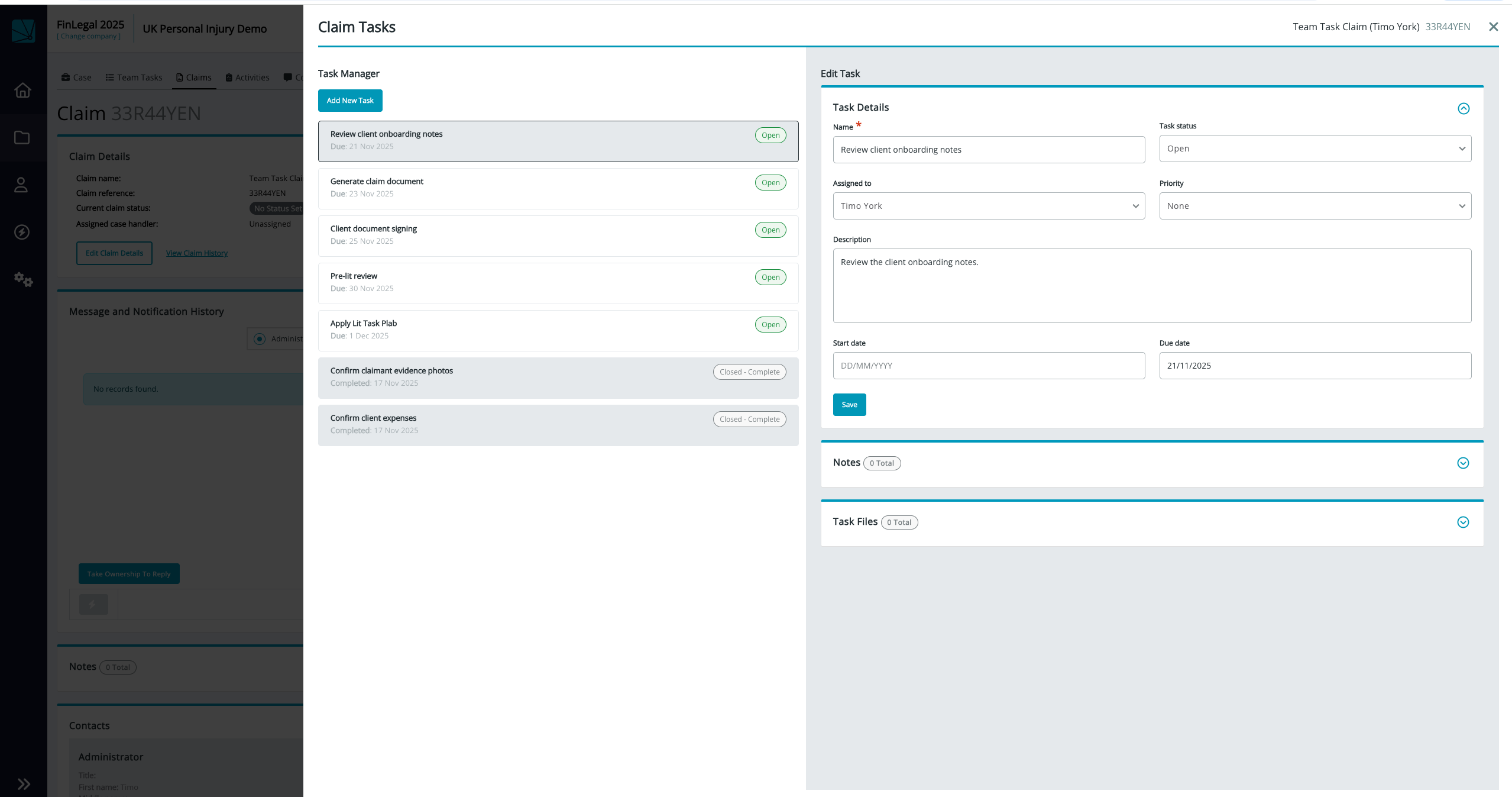
- Single-Screen Task Management: Rather than selecting a task and having it open in a separate window, you’ll now see a task list on the left-hand side of the view. Selecting a task from that list displays its details on the right, allowing you to view, edit, and complete tasks on one screen with fewer clicks.
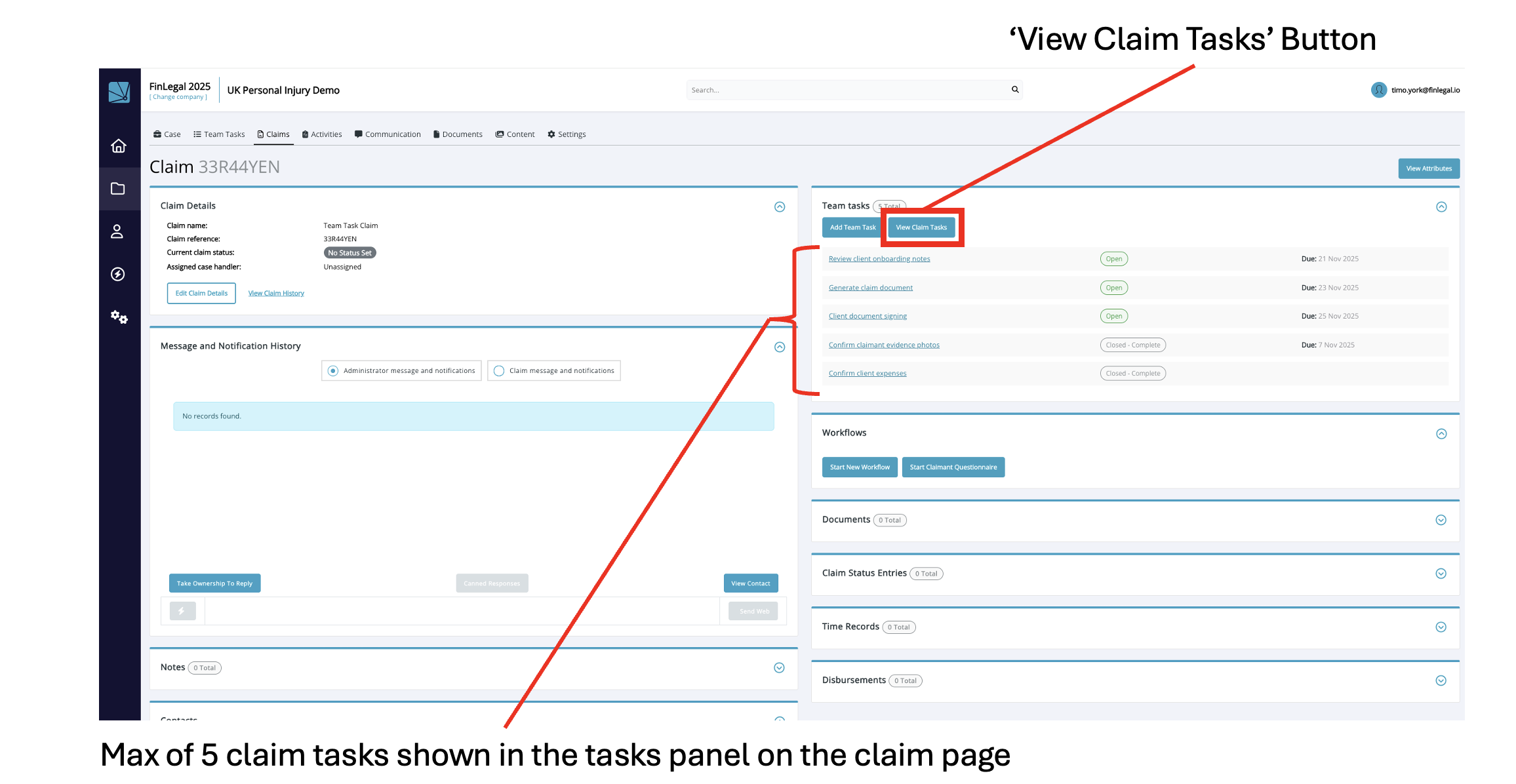
- Top 5 tasks shown on the Claim page: To keep the Claim page focused and uncluttered, only the top five tasks will appear directly on the claim page. Users can view the complete list of tasks by selecting View Claim Tasks, which opens the new Claim Tasks view.
What stays the same?
- The My Tasks and Team Task pages within Claim Automation remain the same
- The ordering of tasks by due date and created date in both the Claim page Tasks panel and the Claim Tasks view remain the same
- Presentation of case team tasks on the case contact page remains the same
The benefit? These interface improvements are designed to make the management of claim tasks more efficient by:
- Moving all the tasks onto a dedicated view
- Enabling easier navigation when switching between tasks
Additionally, by moving all claim tasks associated with a claim to a dedicated view and showing only a subset of 5 on the Claim page, the performance and usability of the Claim page is improved for all our customers.
Info and Feedback
If you would like further information on these upcoming changes, need assistance with the enhanced contact page interface or have feedback that you would like to share, please reach out to your Customer Success representative.