Product Update - Further Contact Page Updates
Enhanced Contact Page Interface
Following our recent contact page improvements, we've now further refined the contact page.
As per the last communication, we're addressing the contact page in stages. The first set of changes launched approximately two weeks ago and focused on better organisation of the contact page. This release finalises the changes to the contact page with a sliding edit panel, relocation of case panels on the page and relocation of the case contact attributes.
What's changing?
-
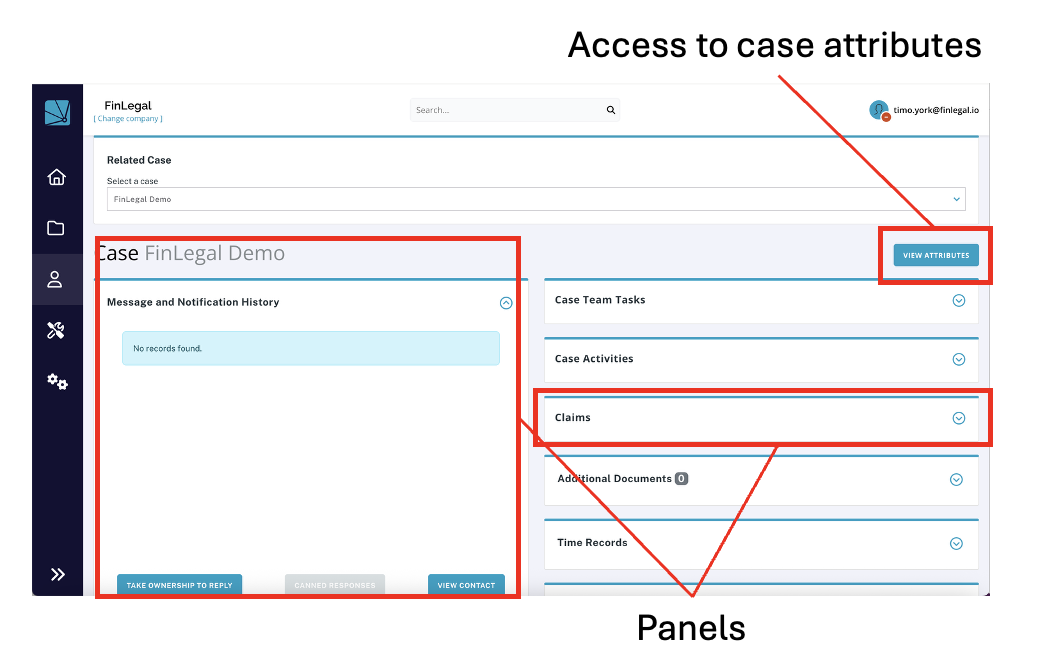
Panel-Based Organisation: We've restructuring the contacts page with distinct functional panels that segregate different aspects of contact and case contact information. This reduces visual clutter and makes it easier to focus on specific areas of contact or case contact data without being overwhelmed by everything at once.
-
Access to Case Attributes: Case attributes can now be accessed from the 'VIEW ATTRIBUTES' button next to the selected case name. Case attributes will be presented in a slide out panel.
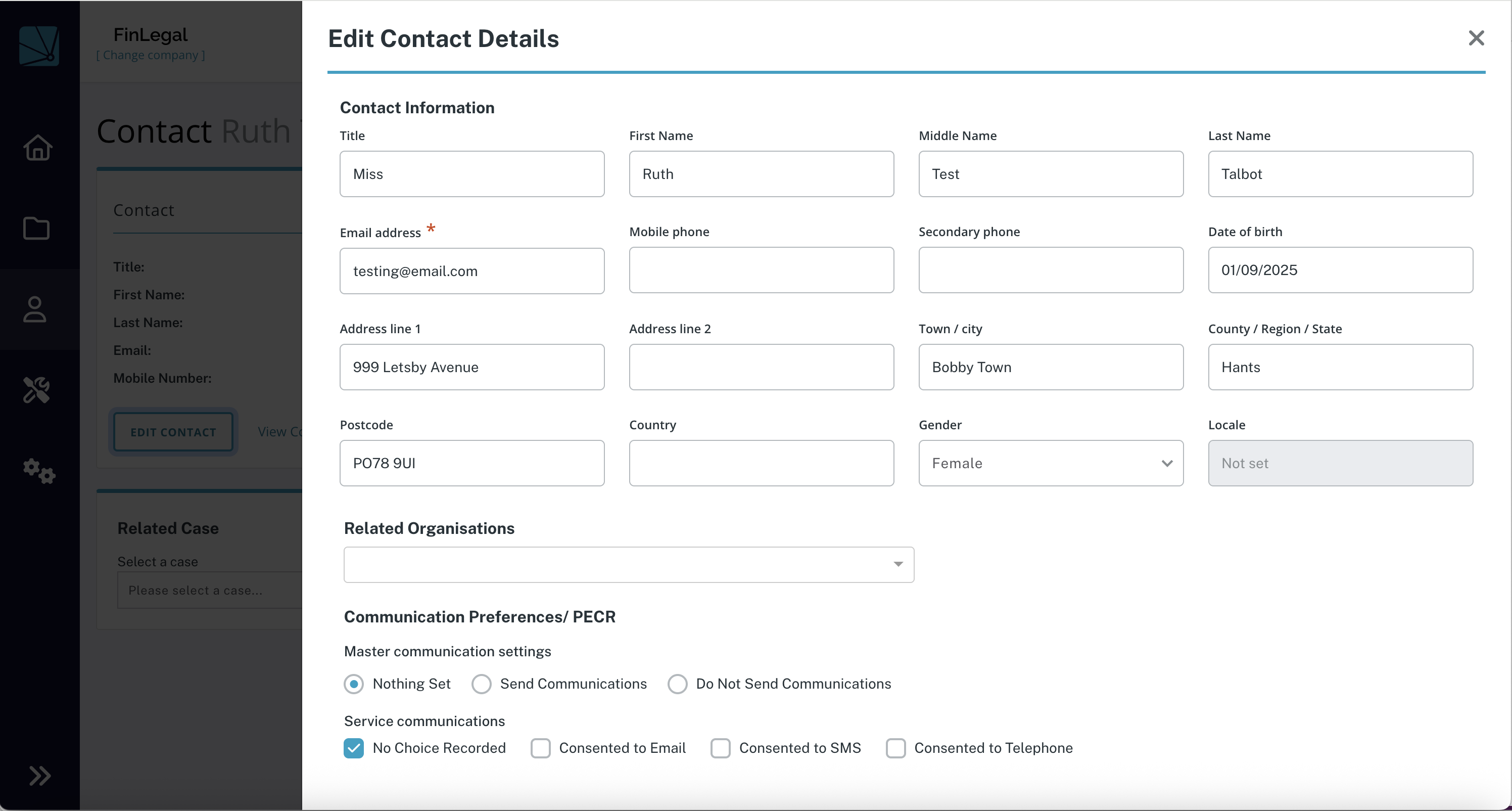
- Edit Contact Details: Editing contact details are now presented in a slide out panel.
What stays the same?
- All existing contact information remains fully accessible
- Permissions and access controls for contact data are unchanged
- All contact functionality remains available, just with improved organisation and flow
The benefit?
These interface improvements are designed to make your daily contact management tasks more efficient by:
- Creating logical separation of contact information through panel organisation
- Providing a cleaner, more focused user experience that aligns with our updated claim page interface
- Creating an interface that can be used for cases with vary numbers of attributes.
Info and Feedback
If you would like further information on these upcoming changes,need assistance with the enhanced contact page interface or have feedback that you would like to share, please reach out to your Customer Success representative.