Product Update - New Simple Forms Feature
Simple Forms feature
Until now, when you wanted to collect information from your clients, no matter how simple or small, you needed to raise a request for an activity to be created via the Finlegal Customer Success team.
This release allows you to create a simple activity without Finlegal’s involvement through our new Simple Forms feature from within the dashboard. The activity (form) created can then be assigned to selected claimants for prompt data collection.
In this initial release, the Simple Forms feature will allow you to add intro text to the form and ask a single question – which can either be a Yes/No question type or a free text question type.
What's changing?
Within the Activity Templates page of the Activities tab, there is now a Simple Forms panel.
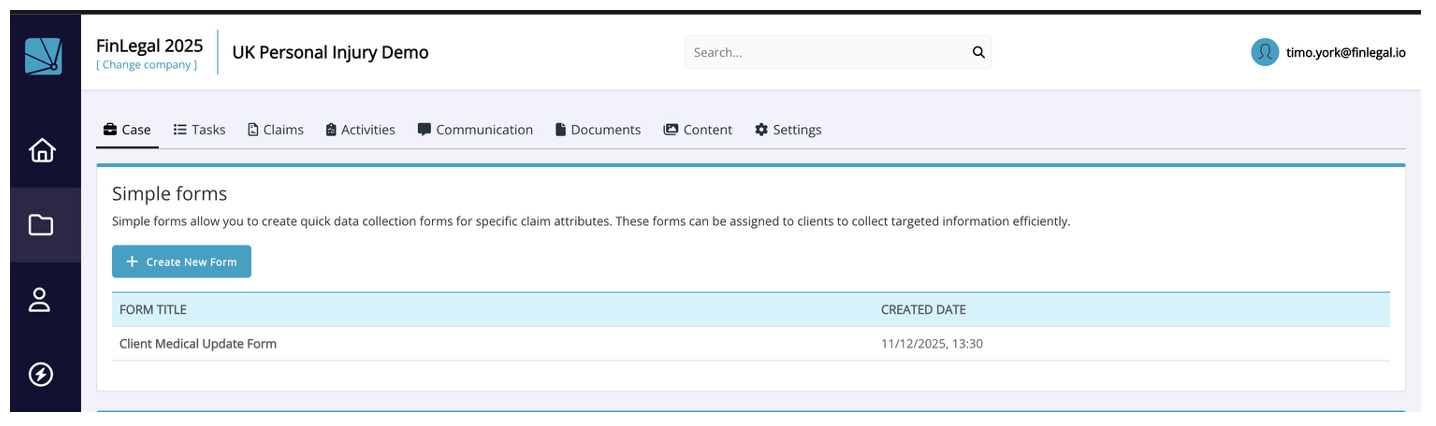
Important - your will need the 'SimpleFormManagement' permission in order to create Simple Forms.
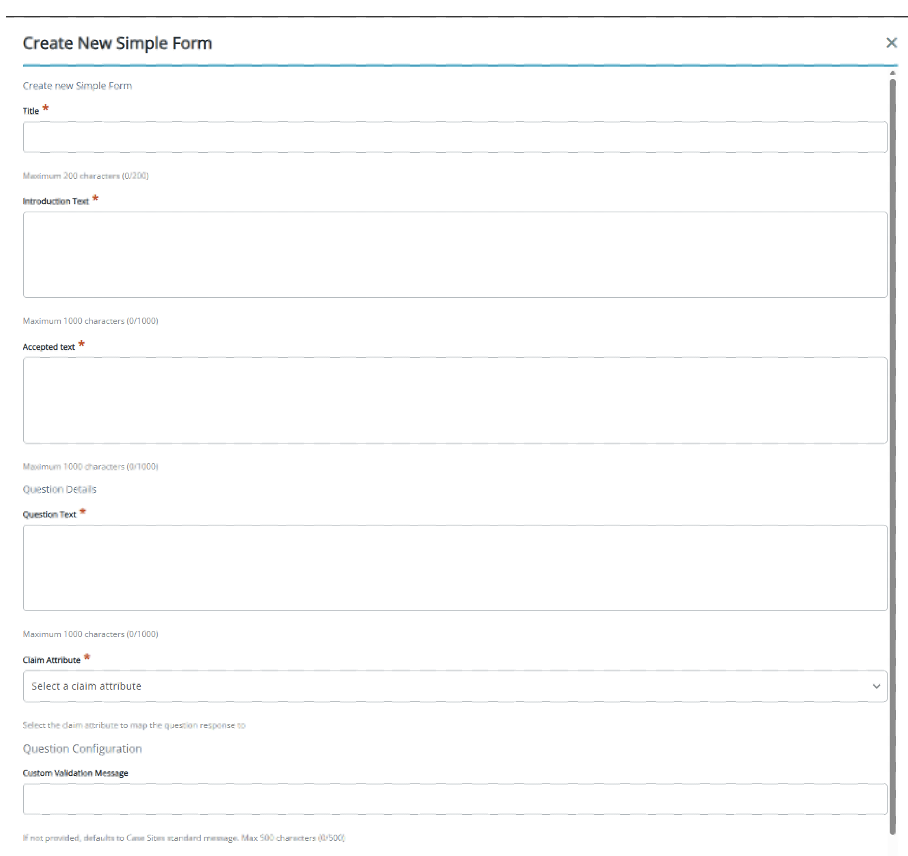
Here you can create a form which contains the following fields:
-
Title – The title (header) of the form.
-
Introduction Text - The intro / explanation text for the question being asked.
-
Accepted Text- The message that appears on the claimant portal timeline after submission of the form.
-
Question Text – The text of the question that you are asking. NOTE: Always ensure the question is written in plain English, is unambiguous and does not ask claimant to answer multiple questions.
-
Claim Attribute - The claim attribute into which you want to store the answer to the question. NOTE: This Claim Attribute must be created ahead of you creating the Simple Form. Only those attributes that are of type 'Text' or 'Bool' are shown in the list for you to select from.
-
Custom Validation message – The error message that the claimant will see if they have not answered the question – as the question is mandatory.
-
Minimum / Maximum length – the length of text in characters allowed in the String type question answer.
-
Yes Text/ No Text – the text that will appear next to the Yes/No selections on the form.
Any forms that have been created will appear in the Simple Forms panel.
What stays the same?
- Creation of claim attributes - this can be achieved via the Settings page
- Assigning activities (forms) via a workflow within a claim hasn’t changed. Simply 'Start Workflow' on your client's claim, select the activity workflow from the list and hit 'Start Workflow'. The activity will be added to your client's claim and you can invite them to complete it via email or SMS.
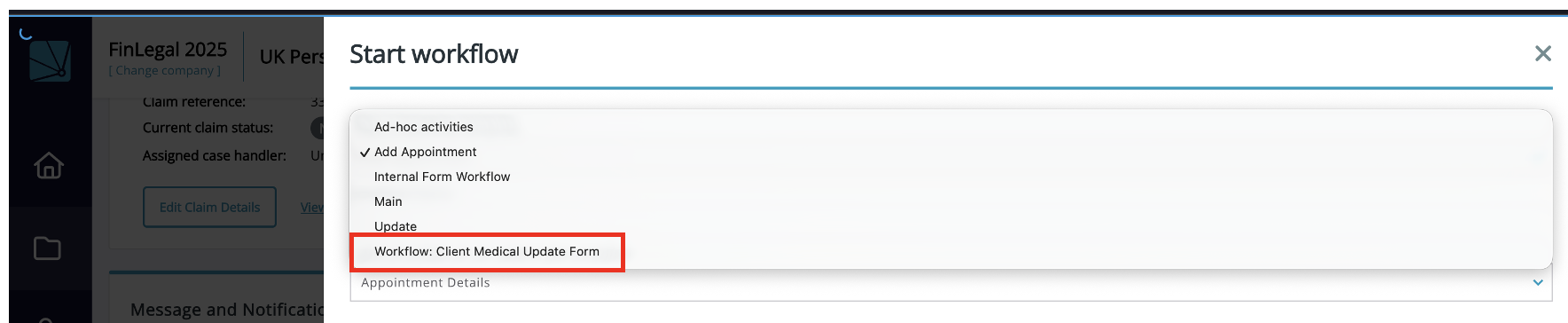
- Client answers are saved directly to claim attributes making them instantly available in exports, email and document generation processes as soon as they are submitted.
The benefit?
- Simple Forms makes collecting answers to a single question from clients easier and quicker. You no longer need to raise a request to your Customer Success representative – saving you both time and money.
Info and Feedback
If you would like further information or need assistance with the new feature or have feedback that you would like to share, please reach out to your Customer Success representative.