Product Update - Medical AI document generation enhancements
Generating documents with Medical AI
For customers on the Medical AI trial, the 'Generate with Medical AI' off-canvas has been refined end to end. You can now upload supporting files in place, see at a glance which documents are ready, and confirm before a generation job starts.
This release builds directly on the Medical AI document panel and off-canvas introduced in recent updates. The focus this time is on making document generation faster and more reassuring to use, with fewer trips back and forth to the Documents Panel.
What's changing?
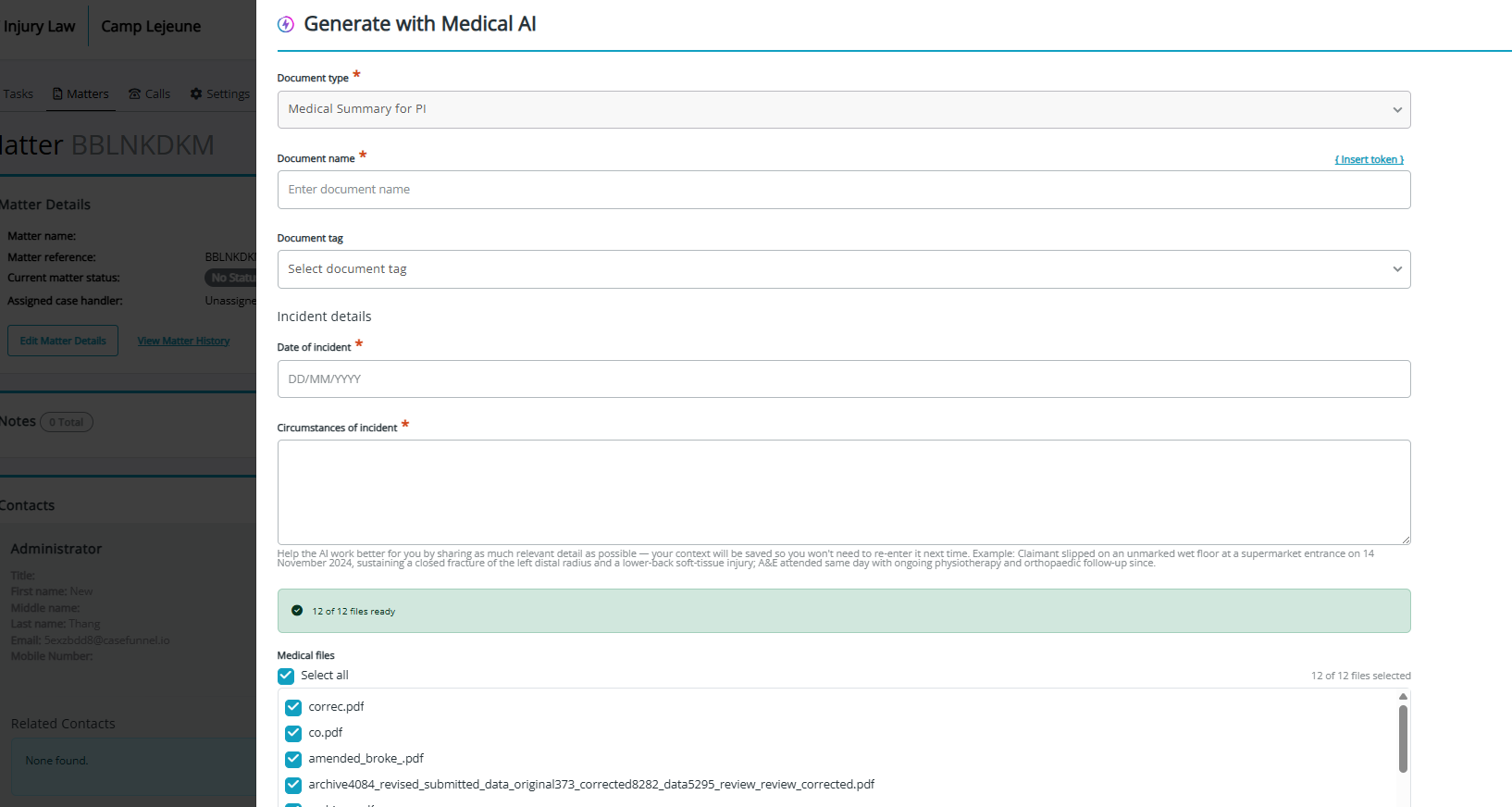
- Upload files without leaving the panel: the 'Generate with Medical AI' off-canvas now includes its own file upload dropzone, so you can add supporting documents at the point of generation rather than uploading separately through the Documents Panel first.
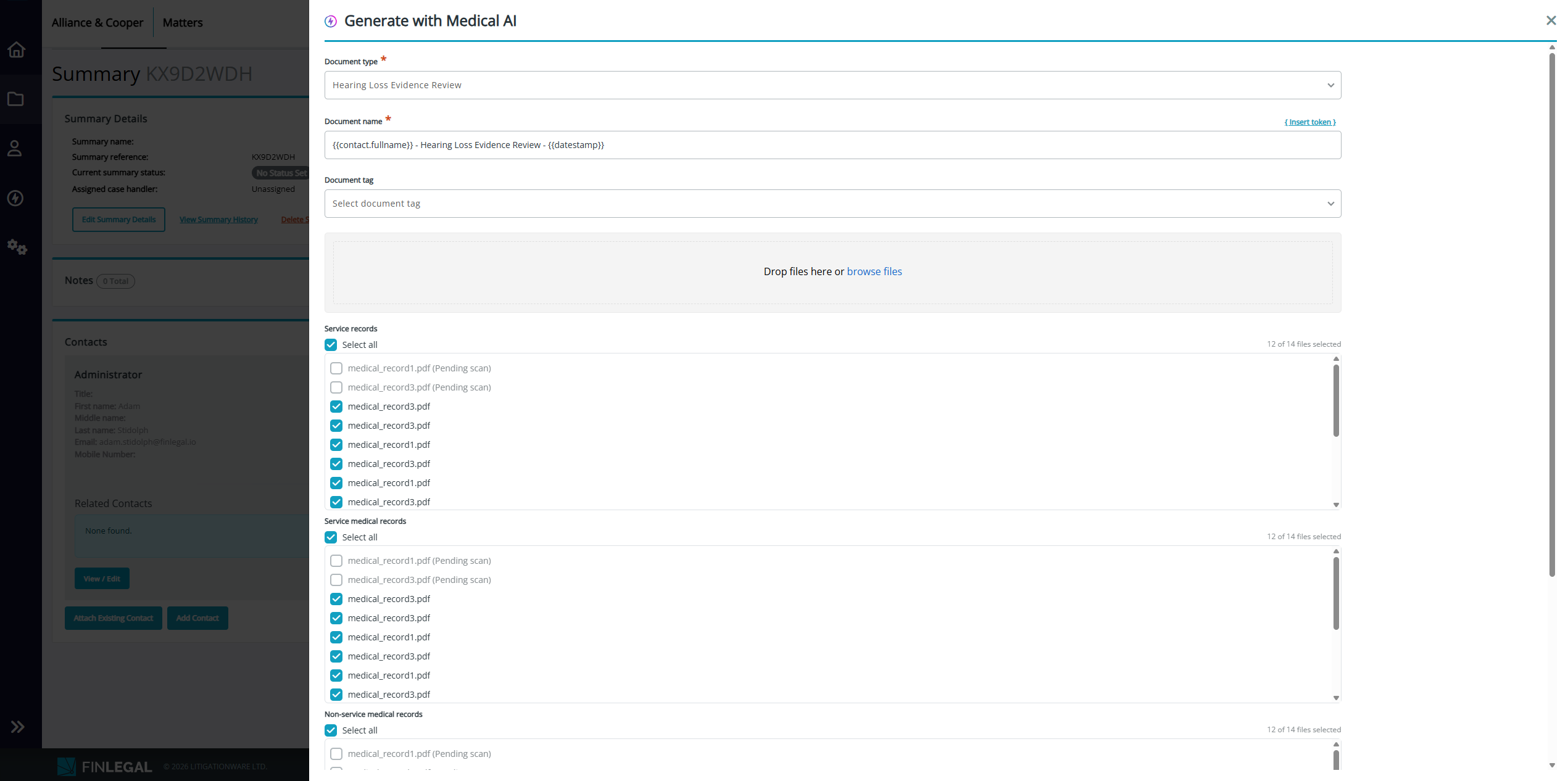
- Scan status at a glance: a status summary bar now sits above the file selector, showing how many files are ready, how many are still being virus scanned, and any that have errored or been quarantined. The counts update in real time as scans complete.
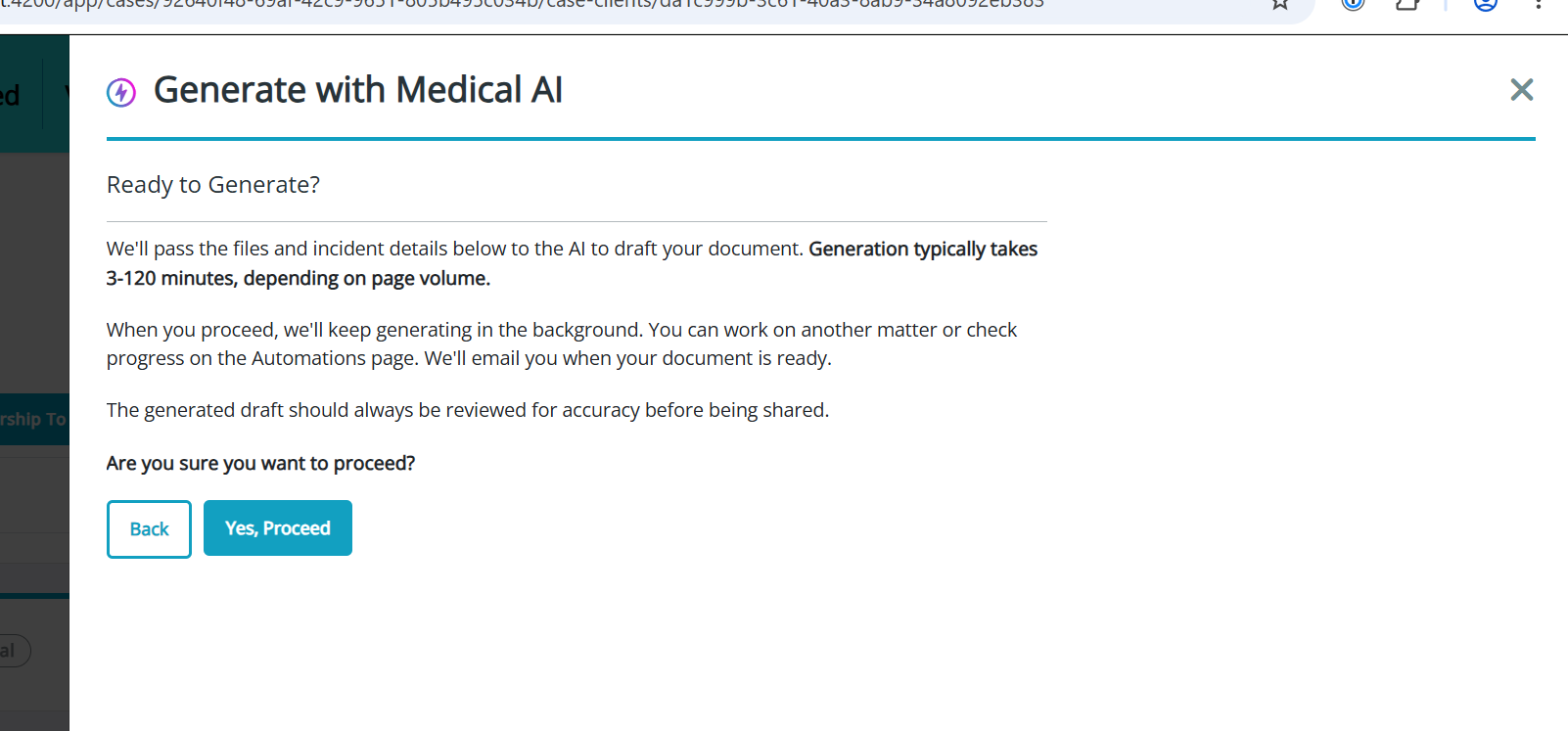
- A confirmation step before generation: a confirmation screen now appears before a medical summary or intelligent workflow generation job is kicked off, so you can check your selection before committing.
- Document name pre-filled: the document name field is now pre-populated when generating, saving you a step in the common case.
- A clearer document list: the file list inside the off-canvas now uses the same document list as the rest of the dashboard, with tidy selection controls for choosing which files to include.
- Clearer status messages: the notifications shown while a document is generating have been tidied up so it is clearer what is happening at each stage.
- 'Create document' button reliability: we've fixed an issue where the 'Create document' button could stay disabled when a single document type was preselected for you. It now enables correctly without needing to touch another field.
What stays the same?
- These changes apply only to customers participating in the Medical AI trial; all other customers see no change to document generation.
- All existing document permissions, virus scan rules and workflows are unchanged.
- Documents remain accessible from the Documents tab, document manager and team task pop-out as before.
The benefit?
- Fewer steps and less switching between panels to generate an AI document.
- Confidence that your files are scanned and ready, and a chance to check before a job runs.
Capturing alleged negligence details
Workflow document generation can now capture structured 'Alleged Negligence Details' directly in the off-canvas, with clearer labels and guidance on each field.
When generating documents through an intelligent workflow, the relevant claim attributes are now presented as their own fields in the generation panel, so the information needed to produce the document is gathered in one place.
What's changing?
- Dedicated attribute fields: workflow configuration now supports attribute fields, presented under an 'Alleged Negligence Details' heading in the generation off-canvas.
- Clearer labels and helper text: the date of negligence, alleged negligence and circumstances fields now carry an 'Alleged' prefix where appropriate and include guidance text explaining what to enter.
- Tidier layout: helper text for text fields now appears as in-field placeholder guidance, and the section heading sits consistently with the rest of the off-canvas.
What stays the same?
- Existing claim attribute values are preserved and pre-filled into the fields where available.
- All existing workflow configuration and permissions are unchanged.
The benefit?
- The details needed to generate a document are captured in context, with clear prompts for what each field is for.
Improvements and bug fixes
A number of smaller improvements and fixes also ship across the dashboard and your claim sites in this release:
- Consolidated team task notifications: building on the improved task-assigned email introduced recently, the notification messaging now covers the remaining team task status types so every update is communicated consistently.
- Case handler assignment for internal users: when a claim is created by an internal FinLegal user (for example during support), that user is no longer automatically set as the case handler. Assignment continues to work as before for your own dashboard users.
- Claim site sign-in resilience: an expired or already-used magic link no longer logs out a claimant who already has a valid session. Previously, following a stale link could leave a signed-in user stranded on a logged-out screen; they now stay signed in.
- 'Clear' button on multi-item forms: on claim site forms that let claimants add several items, the 'Clear' button now clears only those entries rather than resetting unrelated answers on the same step.
- Witnesses and counter-signatories on claim site signing: document signing on your claim sites now supports witnesses and counter-signatories on DocuSign documents, with the signing flow adjusted to wait for all parties before completing.
Info and Feedback
If you would like further information on these updates or have feedback to share, please reach out to your Customer Success representative.